Creating reports
Building Gym TeamHub Progress Reports — pick a date range and sections, preview, publish, or create for a whole group in bulk.
A Progress Report is generated from your existing records — skills, attendance, assignments, scores — over a date range you choose. Most of the report comes from what you've already recorded this season.
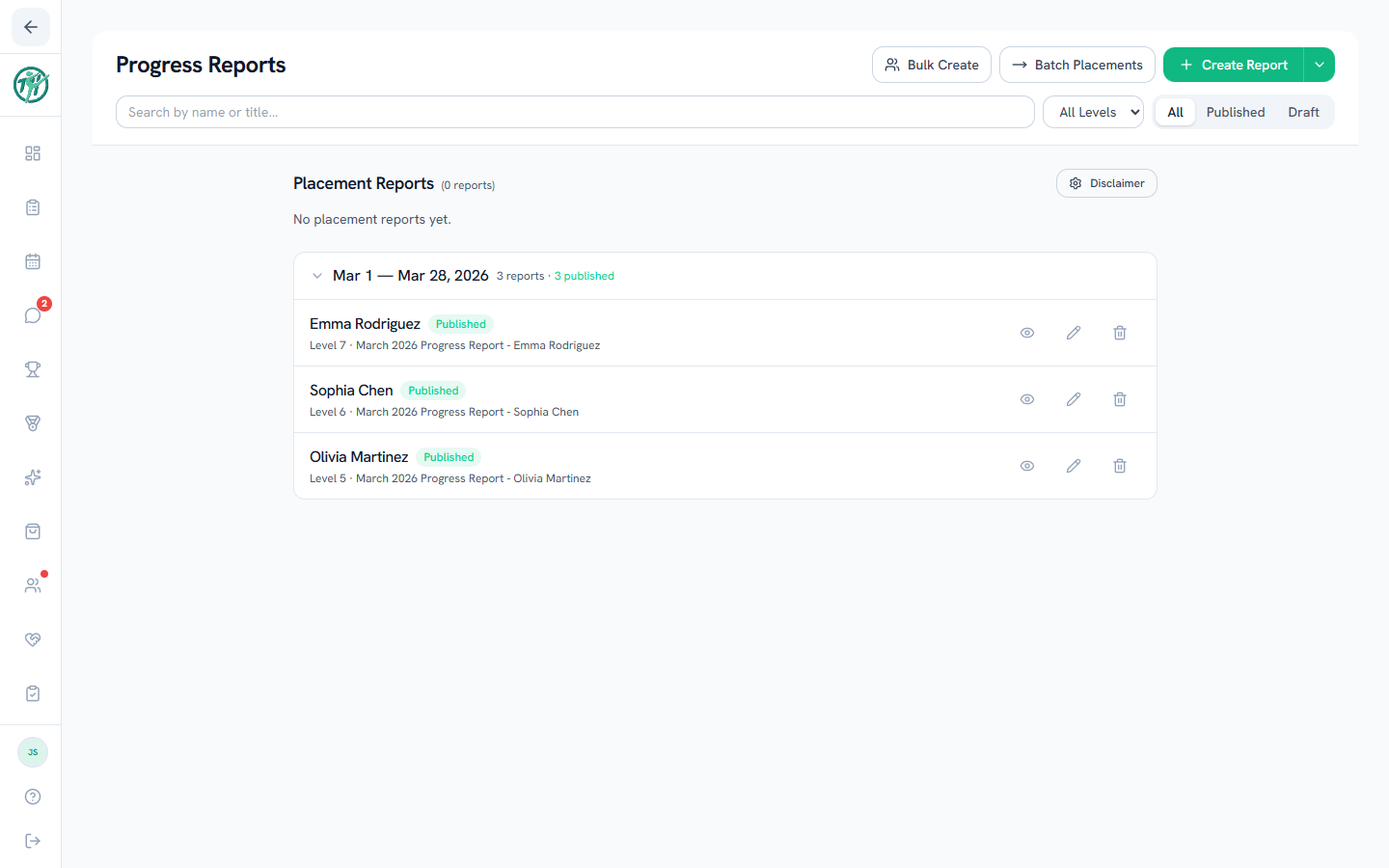
Creating one report
- Tap Create Report and pick the gymnast.
- Choose the date range — Last 30 Days, Last 90 Days, Last Month, This Season, or custom dates.
- Pick the sections to include: Skills (choose which skill lists), Attendance, Assignments, Scores. Sections only offer what your hub actually uses.
- The report generates as a draft.
Draft → preview → publish
Drafts are yours to review and edit — nothing is visible to families yet. Preview shows the report exactly as parents will see it. Publish makes it live and notifies the gymnast's guardians; publishing asks you to confirm first.
The filter tabs switch between all, published, and draft reports, so unpublished work never gets lost.
Bulk Create
Bulk Create starts reports for a whole group at once — every gymnast in a level gets a draft with the same range and sections, and you review each before publishing. For season-transition placement decisions, use Batch Placements instead.
Tip
The skills section pulls each status's plain-language meaning into a legend automatically — parents see "Achieved — can perform the skill independently," not just a color.
Last updated September 24, 2026
New to Gym TeamHub?
One organized hub for your whole gymnastics program — built by a coach.
Start Your Gym