Taking attendance
Recording daily practice attendance in Gym TeamHub — the level-grouped grid, four statuses, one-off days, and cancelled practices.
The Attendance tab records who showed up to practice, day by day, against your practice schedule.
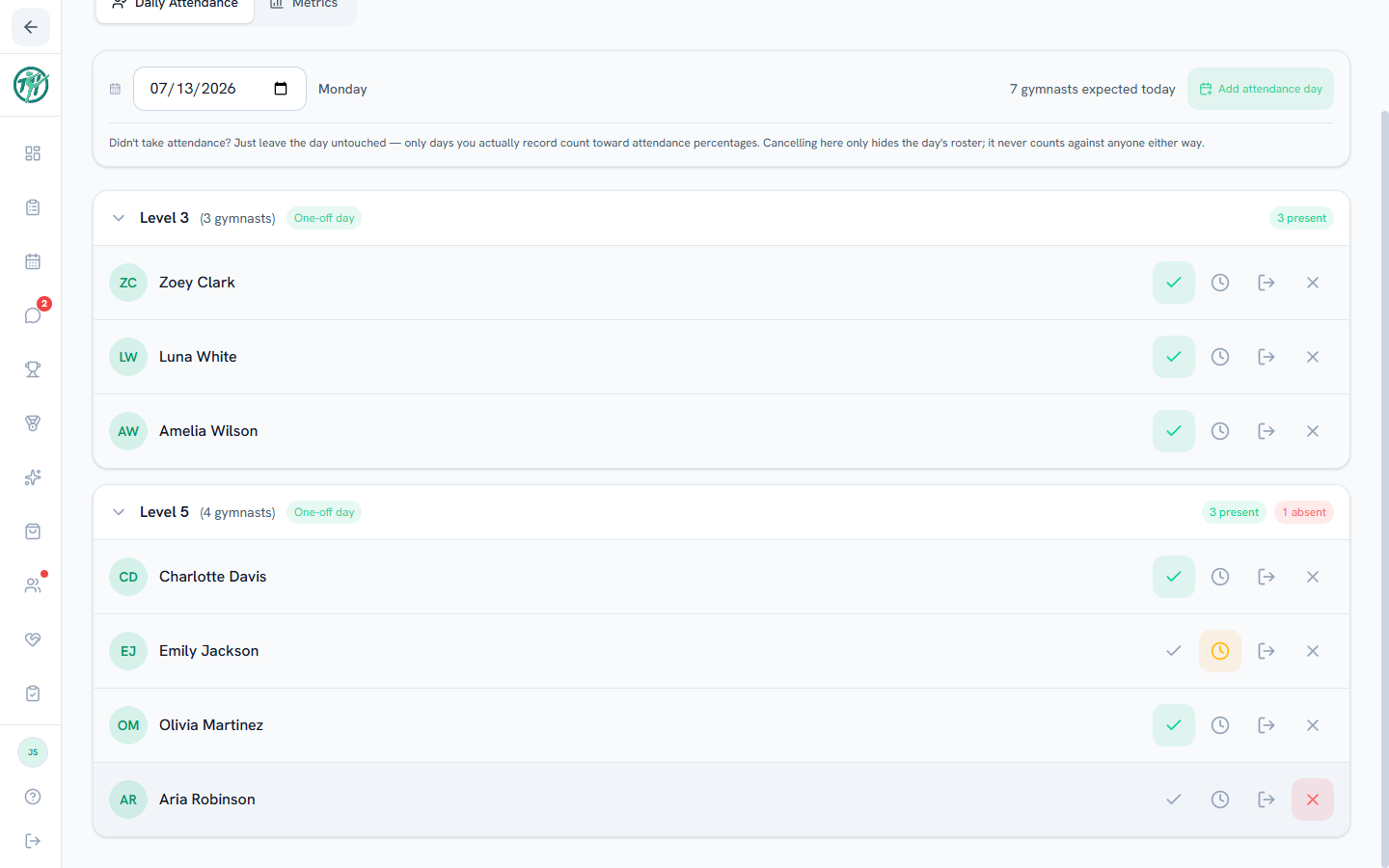
Recording a day
- Pick the date. Scheduled practice days are ready to record.
- Athletes group by level. Expand a level and tap Present, Absent, Late, or Left Early on each gymnast. Late and Left Early can both be on, for an athlete who came in late and left early. Tap a lit status again to clear it.
- Mark All Present handles a whole level in one tap; then just fix the exceptions.
Days off the schedule
- Add attendance day creates a one-off recordable day outside the normal schedule — a makeup practice, a holiday clinic.
- Cancel this day skips a scheduled day (gym closed, bad weather, holiday). Cancelled days show a strip with Restore in case of a mistake.
The fairness rule
Only days you actually record count toward attendance percentages. If a coach skips recording a day, that day simply doesn't exist for the math — an untouched day never penalizes anyone. A gymnast with nothing recorded at all has no percentage: the app shows a dash or No attendance recorded instead.
Absences reach further than attendance
Marking someone absent doesn't only move their attendance number. By default it also excuses that day's assignments — the work drops out of their completion stats instead of counting as unfinished, and their family sees "Excused — absent" rather than a checklist they never had a chance to do.
Two consequences worth having in mind while you record:
- Late and left early don't excuse anything. Only absent does.
- Order doesn't matter. Take attendance at the end of practice, or fix it three days later — the assignment stats catch up on their own.
Owners can switch this off under Settings → Stat Controls, or override it on a single assignment card. See Tracking progress.
Parents
You don't take attendance, but you can see your own gymnast's attendance history and percentages on their profile's Attendance tab.
Tip
Once records accumulate, the Metrics view turns them into trends and warnings — see Attendance metrics.
Last updated September 27, 2026
New to Gym TeamHub?
One organized hub for your whole gymnastics program — built by a coach.
Start Your Gym