Creating events
How staff create Gym TeamHub calendar events — types that do more than color, all-day events, RSVPs, Save the Date, and staff-only visibility.
One form covers every kind of event, from practices to meets to socials. Staff open it from the Add Event button on the Calendar.
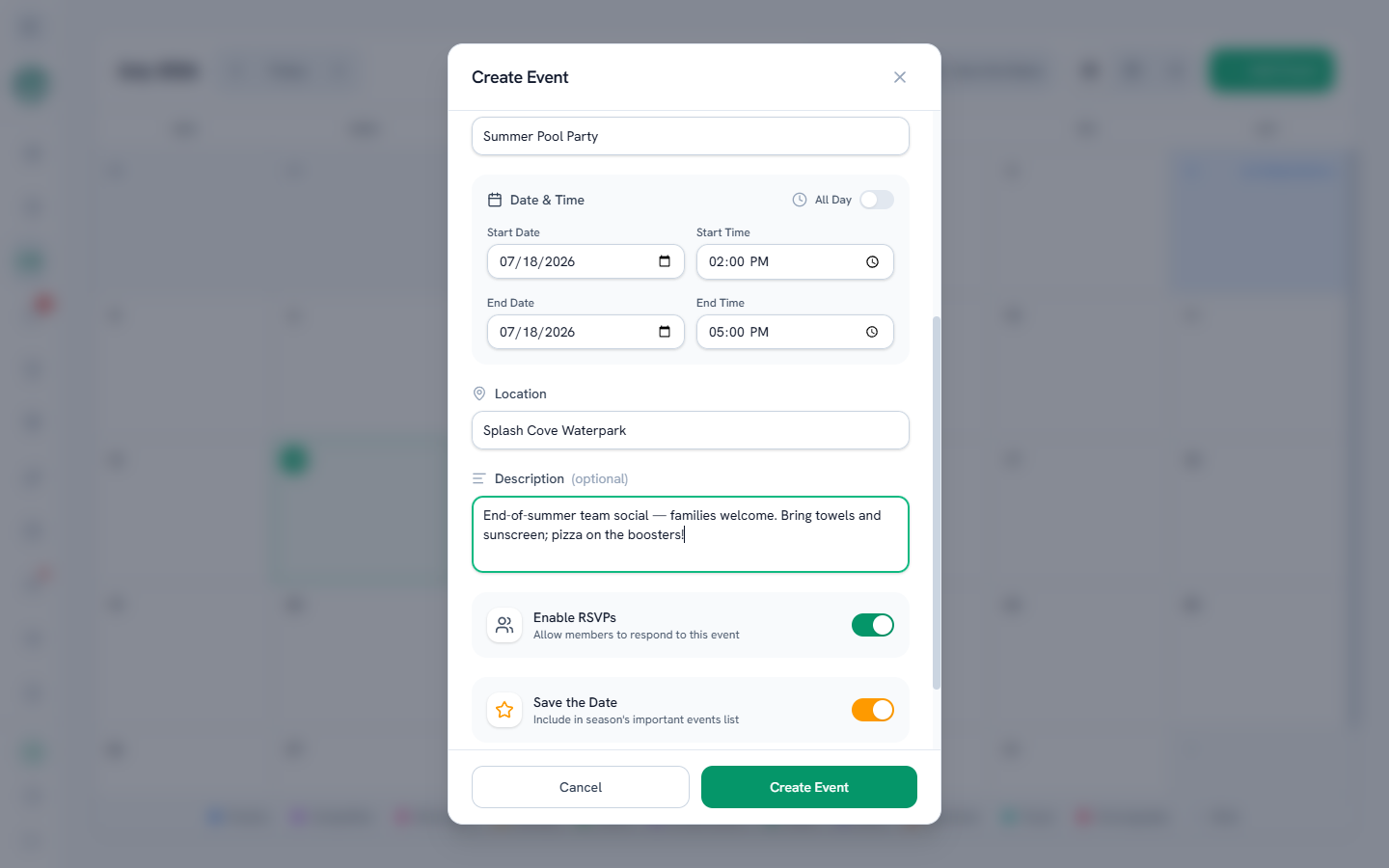
Pick the type first
The type sets the event's color — and some types do more:
- A meet or camp event also creates a record in the Meets & Camps tab, so the meet's roster, sessions, and documents have a home.
- Mentorship events also show up in the Mentorship tab.
- Tryout events are automatically staff-only.
Dates and times
Set the start and end, or flip All Day to skip the clock entirely. The time you type is the time everyone sees — no timezone surprises.
Three reach switches
- Enable RSVPs — collects Going / Maybe / Can't Go responses from members, right in the event popup. The popup lists everyone who's marked themselves Going.
- Save the Date — pins the event on the season's key-dates list (Save the Dates). Meet, mentorship, and camp events pin automatically.
- Staff Only — hides the event from families entirely.
Editing and deleting
Tap an event to edit its details, see the Going list, or delete it — deleting asks you to confirm first. (Admins can edit and delete the events they created; owners, directors, and coaches can manage any event.)
Owners & directors
Run more than one hub? A Share with Other Hubs option mirrors an event onto another hub's calendar — see Sharing events between hubs.
Last updated September 24, 2026
New to Gym TeamHub?
One organized hub for your whole gymnastics program — built by a coach.
Start Your Gym