Creating assignments
The Gym TeamHub assignment wizard — what, who, and when in three steps, with checklists, stations, weekly assignments, and repeats.
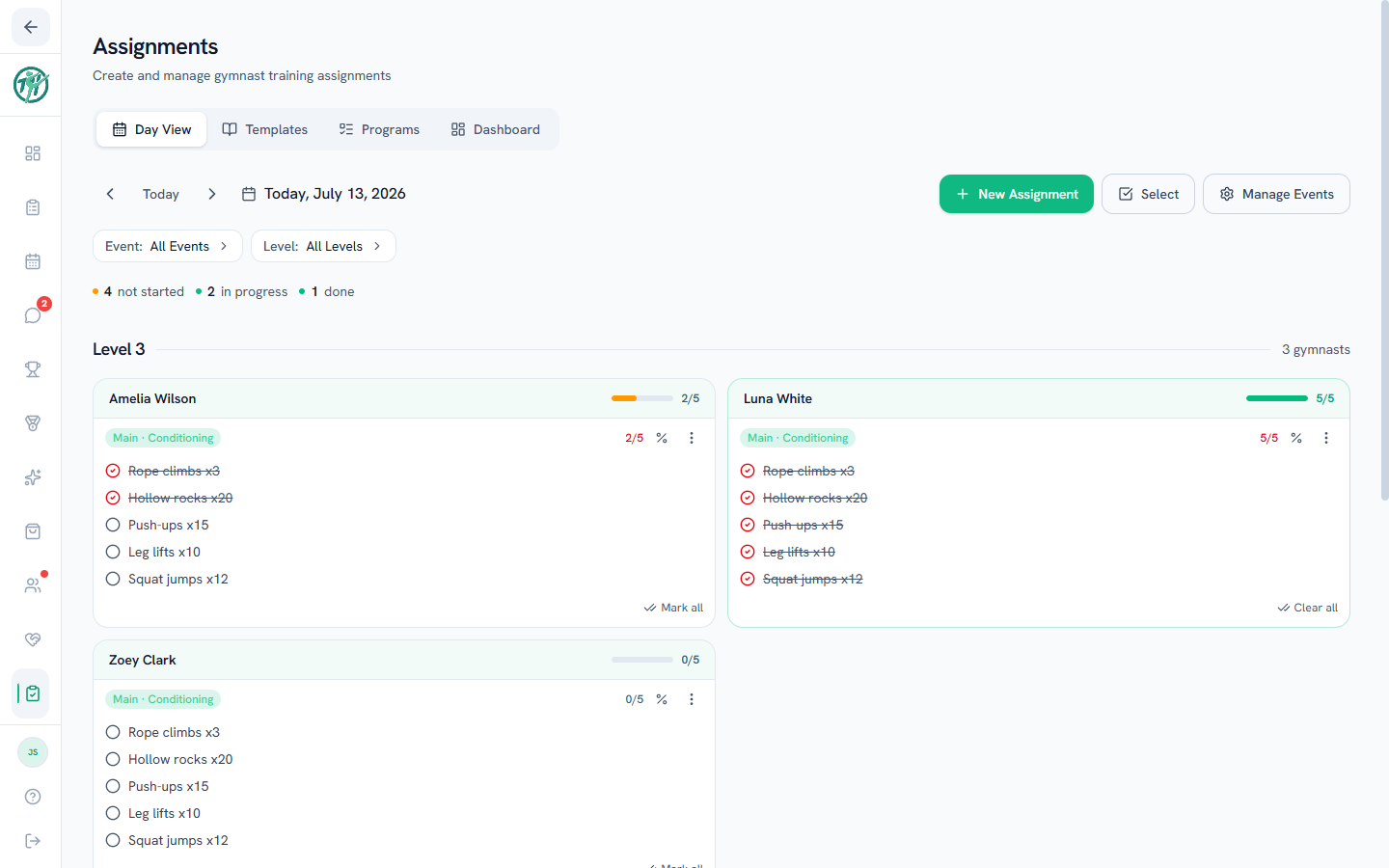
Day View is the daily workspace on the Assignments tab — build each day's training there, and check work off as it's done.
The wizard: what, who, when
New Assignment walks three quick steps:
- What — pick the training event (Vault, Bars, Beam, Floor, Pommel Horse, Rings, conditioning — whatever your gym trains), then build the work: a checklist of exercises, or stations for circuit-style training. Owners and directors set that list up under Manage Events on Day View.
- Who — tap a level to select everyone in it, or expand a level to pick individual gymnasts. Station assignments can optionally split specific stations to specific athletes.
- When — how long the work lasts: just this day, a weekly assignment that spans a range of days as one card, or repeats, which makes a fresh copy on every day you pick, each starting unchecked (you'll see exactly how many days it creates). More options holds progress tracking.
Weekly assignments
A weekly assignment is one assignment covering a range of days — not a copy on each day. Pick it in Step 3 and choose This week, Next week, or Custom dates; the same card then shows on every day in the range.
The difference from Repeats is what happens to the checks:
| Weekly assignment | Repeats | |
|---|---|---|
| Cards created | One | One per date |
| The checklist | Shared — check it Monday, it's still checked Friday | Separate; every day starts unchecked |
| Reach for it when | The work accumulates over the week — a conditioning target, a set of drills to get through | The work is done fresh each day |
Worth knowing:
- The end trims to practice days; the start never does. If a level's last practice of the week is Thursday, the range ends Thursday rather than Saturday — and two practice groups on the same assignment can end on different days. You see the trimmed dates before you save. The start is the same day for everyone on the assignment, and it can't be in the past, so one built mid-week begins today.
- The card counts down. It badges WEEKLY · 3 days left, then 1 day left, then last day.
- It joins completion stats when its last day arrives, not after it — the range closes on the end date. Before then the card reads Counts when the week ends, because a week still being earned shouldn't drag the average. It stays checkable throughout and fills the day's progress like anything else.
- It closes where it lands. A week that finishes 6 of 10 done counts as 6 of 10; nothing rolls over.
- An absence doesn't excuse it. A single-day card a gymnast missed drops out of their stats entirely; a weekly one covers days they were there for, so it stays. On the Gym Board, that also means a group tap includes athletes marked absent rather than skipping them.
- The length is editable, the roster isn't. Editing a weekly assignment shows a Runs until date you can push out or pull in — anything from the start day onward. To change who it's for, remove it and assign it again.
Working the day
- Tap an exercise (or a station checkbox) to check it off; Mark all finishes a card in one tap.
- The % chip on a card sets whether it counts toward completion stats — warm-ups can be untracked while the real work counts. When something else is deciding the answer — an absence, an override from the card's ⋮ menu, or a weekly assignment whose range is still open — the chip stops being a toggle and names that reason instead. See Tracking progress.
- Select turns on bulk mode: check several assignments and edit or delete them together.
- Removing one athlete from a station card: the × at the end of their row in the athlete grid. On a repeating assignment it asks whether to drop them from just that day, from that day onward, or from every date — the rest of the group keeps the assignment either way.
- Delete… on a repeating card asks the same two questions — who, and which dates — so removing one athlete from a series takes one step, not a visit to every date.
- Copy to date… drops a fresh copy of a card on any other day, for the same athletes, with nothing checked off. The card you copied is untouched, and the copy is its own assignment — editing or deleting one never affects the other. A weekly assignment keeps its length: copy a Mon–Fri block to a Wednesday and you get Wed–Sun.
- A finished assignment can be saved as a template right from its card. Use a template when you want it available forever; use Copy to date when you just want it again next week.
Tip
If a whole level does the same conditioning every Tuesday, build it once as a repeat — every Tuesday then gets its own fresh checklist, which is what you want for work done again from scratch. (A weekly assignment is the other one: a single checklist carried across consecutive days.) Or save it as a template and reuse it forever. See Templates and programs.
Tip
Running practice off a wall TV or a mounted tablet? The Gym Board shows the same day full-screen, and lets you check a whole group off with one tap.
Last updated September 24, 2026
New to Gym TeamHub?
One organized hub for your whole gymnastics program — built by a coach.
Start Your Gym