Feature tabs
Trimming Gym TeamHub to your program — switch any sidebar tab on or off, and manage the hub-wide channels everyone joins.
Not every gym uses every feature — and nobody should scroll past tabs their program doesn't use.
Switching tabs on and off
The Feature Tabs card in Settings lists every sidebar tab with a switch. Turn off what you don't use and it disappears from everyone's sidebar (and the mobile app) — turn it back on any time; nothing is deleted, just hidden.
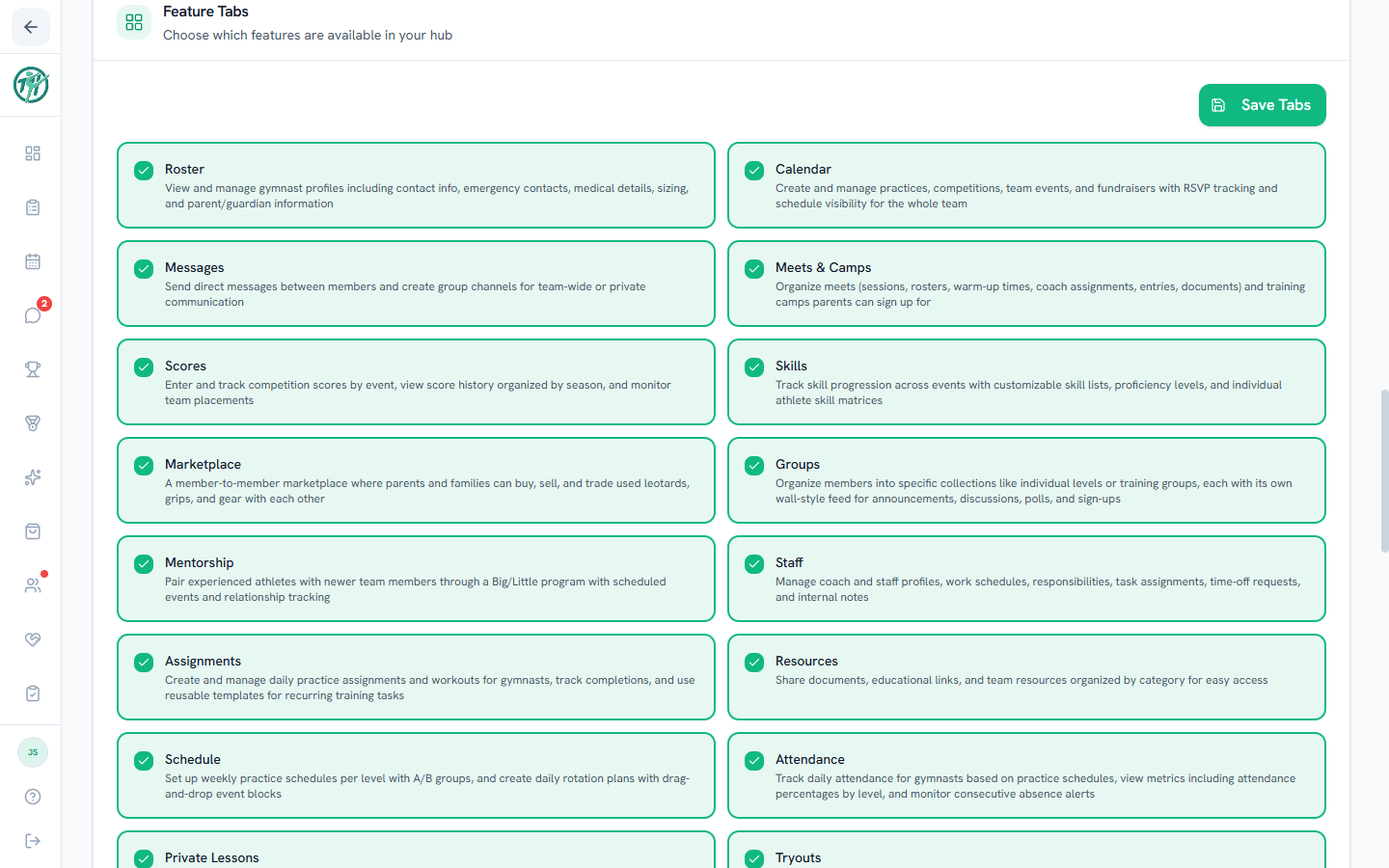
Start lean: messages, calendar, roster, skills. Add tabs as the program grows into them — a feature that arrives when it's needed gets adopted; turn everything on the first day and most of it gets ignored.
Routines carries a Beta tag: it's released to try while it's still changing. It starts off: an owner or director switches it on here, and the gym's owner can also pick it when creating a new hub.
These switches are on the web only: the app shows whatever the web's Feature Tabs are set to.
Hub channels
Right below, Hub Channels manages the hub-wide chat channels every member joins automatically — your gym's all-members channels, like a general chat and an announcements channel. See Channels.
Invite codes
Settings also holds the invite codes that bring new members in with the right role — covered in Managing members.
Note
Tab visibility is per-hub, not per-person. For role-based visibility — what parents versus coaches see inside a tab — use role permissions.
Last updated September 27, 2026
New to Gym TeamHub?
One organized hub for your whole gymnastics program — built by a coach.
Start Your Gym