Direct messages
Private one-on-one and small-group conversations in Gym TeamHub — starting a DM, group DMs, and how the "Seen" indicator works.
Direct messages (DMs) are private conversations in the Messages tab — one-on-one with a coach or another parent, or a small group DM. Only the people in the conversation can see it.
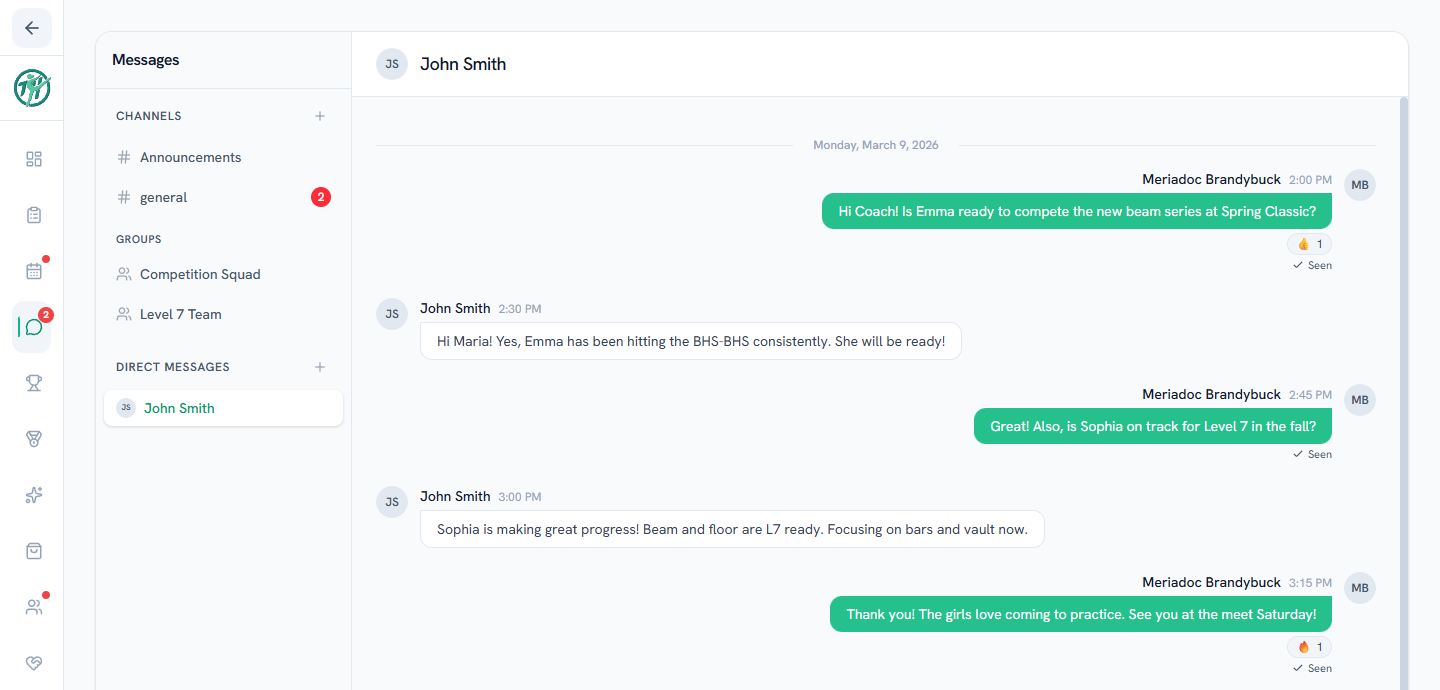
Starting a direct message
- Open Messages and look for the direct-messages area in the left panel.
- Start a new DM and pick the person — or several people for a group DM.
- If you've messaged them before, the existing conversation opens instead of creating a duplicate.
Group DMs
A group DM works like a 1:1 conversation with more people in it — useful for a carpool group or a conversation with both coaches of a level. Everyone in the group sees every message.
The "Seen" indicator
In one-on-one DMs, a Seen marker appears under the last message the other person has read, so you know whether your message got there. It updates live as they catch up.
Parents
Coaches may have quiet hours set up. Your message always goes through and will be waiting for them — you might just get an automatic reply letting you know they're off the clock.
Note
Whether athletes can send and receive messages is a hub setting — some gyms enable athlete messaging, others keep Messages between adults. Hub owners configure this in the hub's privacy and messaging settings. Owners and directors can also turn off messaging for an individual member (for example, a minor on staff) — someone with messaging turned off won't appear in the new-message picker and can't be reached in existing conversations.
Last updated July 21, 2026
New to Gym TeamHub?
One organized hub for your whole gymnastics program — built by a coach.
Start Your Gym