The gymnast profile
One page per athlete in Gym TeamHub — profile cards plus per-gymnast tabs for goals, skills, scores, attendance, and progress reports.
Every gymnast has a profile page — the complete record for one athlete. Open it from the Roster, or from your dashboard's gymnast card if you're a linked parent.
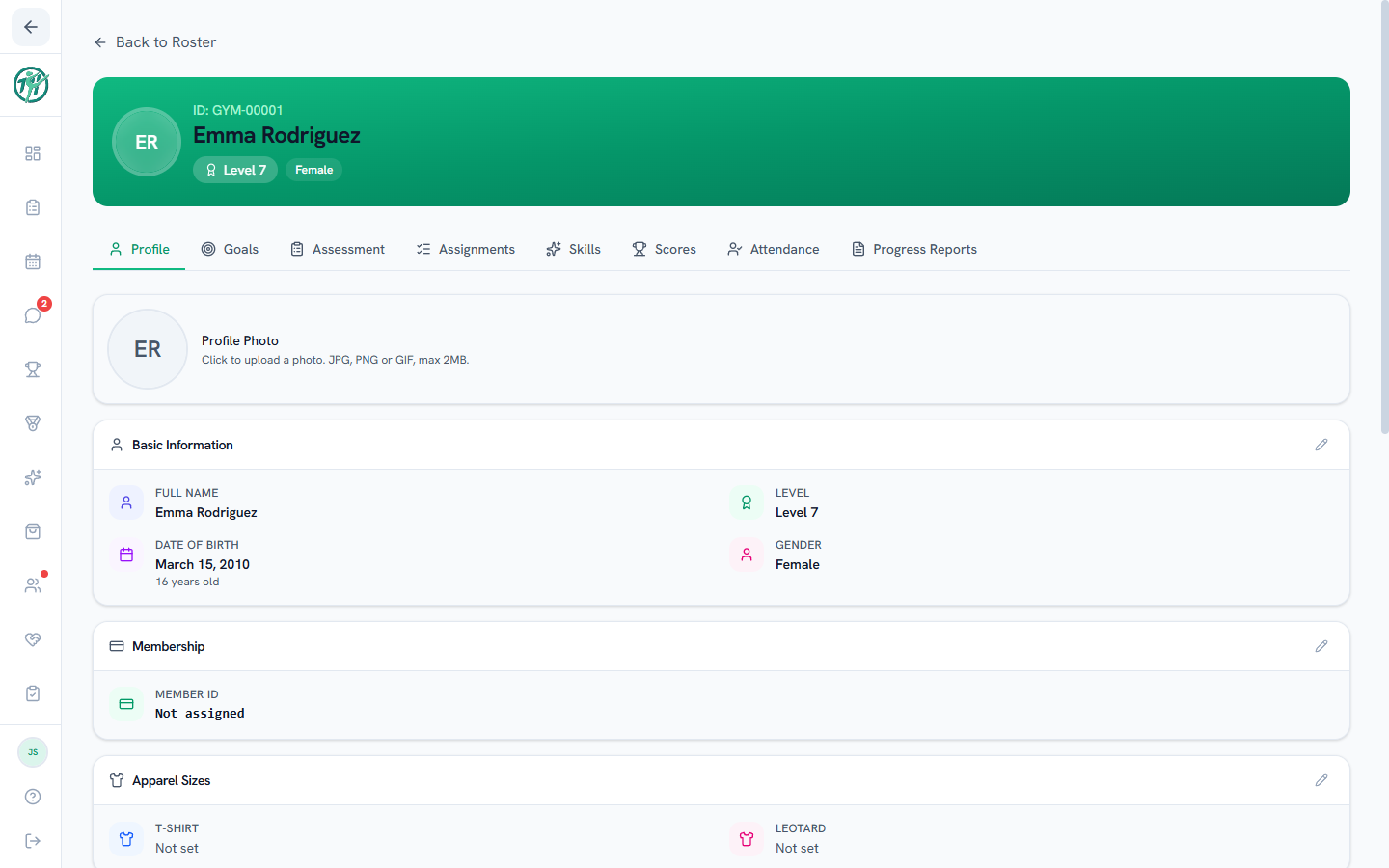
The tabs
Each tab is a feature scoped to this one gymnast:
| Tab | What it shows |
|---|---|
| Profile (Overview in the app) | The record cards below |
| Goals | Goals and subgoals with target dates |
| Assessment | A strengths-and-weaknesses overview written by the coaches |
| Assignments | Daily practice assignments |
| Skills | Skill progression by event |
| Scores | Meet-by-meet results for each season |
| Attendance | Practice history and percentages |
| Progress Reports (Reports in the app) | Published coach evaluations |
(Your hub's configuration decides exactly which tabs appear.)
The Profile tab
A stack of record cards — basics (name, birthday, level), membership, apparel sizes, medical info, and emergency contacts, guardians, and — for women's-program gymnasts — floor music. Each card has an edit pencil for the roles allowed to change it.
Near the top — right under the basics on the web, under the quick stats in the app's Overview — a Meets & Camps card lists the upcoming meets and camps this gymnast is on the roster for or signed up for, soonest first, with the same statuses as the Meets & Camps tab. Tap one to open it. The card only appears when your gym uses Meets & Camps and your role can see it.
Coaches & staff
Owners, directors and coaches have Add to a meet or camp on the Meets & Camps card. It lists the upcoming meets and camps this gymnast isn't on the roster for yet, with Signed up beside any their family has signed them up for. Check the ones they belong in and press Add to roster. Guardians with an account are notified. To take a gymnast off a roster, or to set the level they compete at for one meet, use Manage Roster on the meet.
Coaches & staff
Changing a gymnast's level from the basics card also offers to resync any training programs assigned to that gymnast individually, as long as the new level has a practice schedule, so the athlete's assignments follow them when they move up. The medical card's Report Injury starts an injury log.
Last updated October 4, 2026
New to Gym TeamHub?
One organized hub for your whole gymnastics program — built by a coach.
Start Your Gym